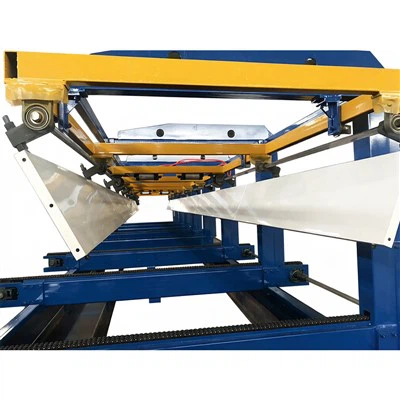

As a trusted supplier of Steel Silo Forming Machines, I understand the importance of keeping your equipment up - to - date. Software upgrades play a crucial role in enhancing the performance, efficiency, and functionality of your steel silo forming machine. In this blog, I'll guide you through the process of upgrading the software of your steel silo forming machine.
Understanding the Need for Software Upgrades
Before diving into the upgrade process, it's essential to understand why software upgrades are necessary. Over time, software developers release new versions to fix bugs, improve security, and add new features. For a steel silo forming machine, these upgrades can lead to better precision in forming, faster production speeds, and enhanced compatibility with different materials.
- Bug Fixes: Software glitches can cause errors in the forming process, leading to defective products or machine downtime. Upgrading the software can eliminate these bugs, ensuring smooth operation.
- Security Enhancements: As technology advances, so do the threats to your machine's software. New security patches in software upgrades protect your machine from cyber - attacks and unauthorized access.
- New Features: Manufacturers are constantly innovating, and software upgrades often introduce new features that can improve the efficiency and versatility of your steel silo forming machine. For example, you might gain access to new forming patterns or better integration with other production line components.
Preparation for the Software Upgrade
Proper preparation is key to a successful software upgrade. Here are the steps you should take before starting the upgrade process:
Back Up Your Data
Before making any changes to the software, it's crucial to back up all the relevant data on your steel silo forming machine. This includes production settings, custom forming patterns, and any other data that is specific to your operations. Losing this data during the upgrade process could lead to significant disruptions in production. You can back up the data to an external storage device, such as a USB drive or a secure cloud storage service.
Check Compatibility
Ensure that the new software version is compatible with your steel silo forming machine's hardware. Check the manufacturer's documentation or contact our technical support team to confirm compatibility. Using incompatible software can cause malfunctions, hardware damage, or even render your machine inoperable.
Gather Necessary Tools
You'll need certain tools to perform the software upgrade. This may include a computer with a stable internet connection (if the upgrade is downloaded online), the appropriate cables to connect your machine to the computer, and any authentication keys or codes provided by the software manufacturer.
The Software Upgrade Process
Once you've completed the preparation steps, you can proceed with the software upgrade. Here's a general overview of the process:
Download the Software
If the upgrade is available for download, visit the official website of the software manufacturer. Log in to your account (if required) and navigate to the download section. Look for the correct version of the software that is compatible with your steel silo forming machine. During this process, you can consider exploring related products such as the Grain Silo Forming Machine and Feed Bin Forming Machine on our website to see if they can complement your production line.
Download the software file to your computer. Make sure to save it in a location where you can easily find it, such as your desktop or a dedicated downloads folder.
Connect the Machine to the Computer
Use the appropriate cables to connect your steel silo forming machine to the computer. Follow the manufacturer's instructions carefully to ensure a proper connection. In some cases, you may need to put the machine in a specific mode to accept the software upgrade.
Install the Software
Run the downloaded software installer on your computer. The installation wizard will guide you through the process. You may need to enter the authentication keys or codes provided by the software manufacturer during the installation. Follow all the prompts and instructions carefully, and wait for the installation process to complete.
Test the Machine
After the software installation is complete, it's time to test your steel silo forming machine. Start the machine and run some test operations to ensure that everything is working correctly. Check for any error messages or abnormal behavior. If you encounter any issues, refer to the troubleshooting guide provided by the software manufacturer or contact our technical support team for assistance.


Post - Upgrade Considerations
Once the software upgrade is successful, there are a few additional steps you should take:
Update User Training
If the software upgrade introduces new features or changes the user interface, it's important to provide training to your operators. Make sure they are familiar with the new functions and how to use them effectively. This will help maximize the benefits of the software upgrade and ensure safe and efficient operation of the machine.
Monitor Performance
Keep an eye on the performance of your steel silo forming machine after the upgrade. Monitor production speeds, product quality, and any other relevant metrics. Compare the post - upgrade performance with the pre - upgrade performance to evaluate the effectiveness of the upgrade. If you notice any significant changes, positive or negative, analyze the data and take appropriate action.
Stay Informed
Software upgrades are an ongoing process. Stay informed about future software releases from the manufacturer. Subscribe to their newsletters or follow them on social media to get the latest information about new features, bug fixes, and security patches. This will help you keep your machine up - to - date and running at its best.
Conclusion
Upgrading the software of your steel silo forming machine is a critical step in maintaining its performance, efficiency, and security. By following the steps outlined in this blog, you can ensure a smooth and successful software upgrade process. If you're interested in learning more about our Steel Silo Wall Panel Production Line or have any questions regarding software upgrades or our other products, we encourage you to reach out to us for a detailed discussion and potential procurement.
References
- Manufacturer's documentation for the steel silo forming machine
- Software release notes provided by the software manufacturer
- Industry best practices for software upgrades in industrial machinery